Please, Don't Touch Anything
Please, Don't Touch Anything




Please, Don't Touch Anything
About This Game
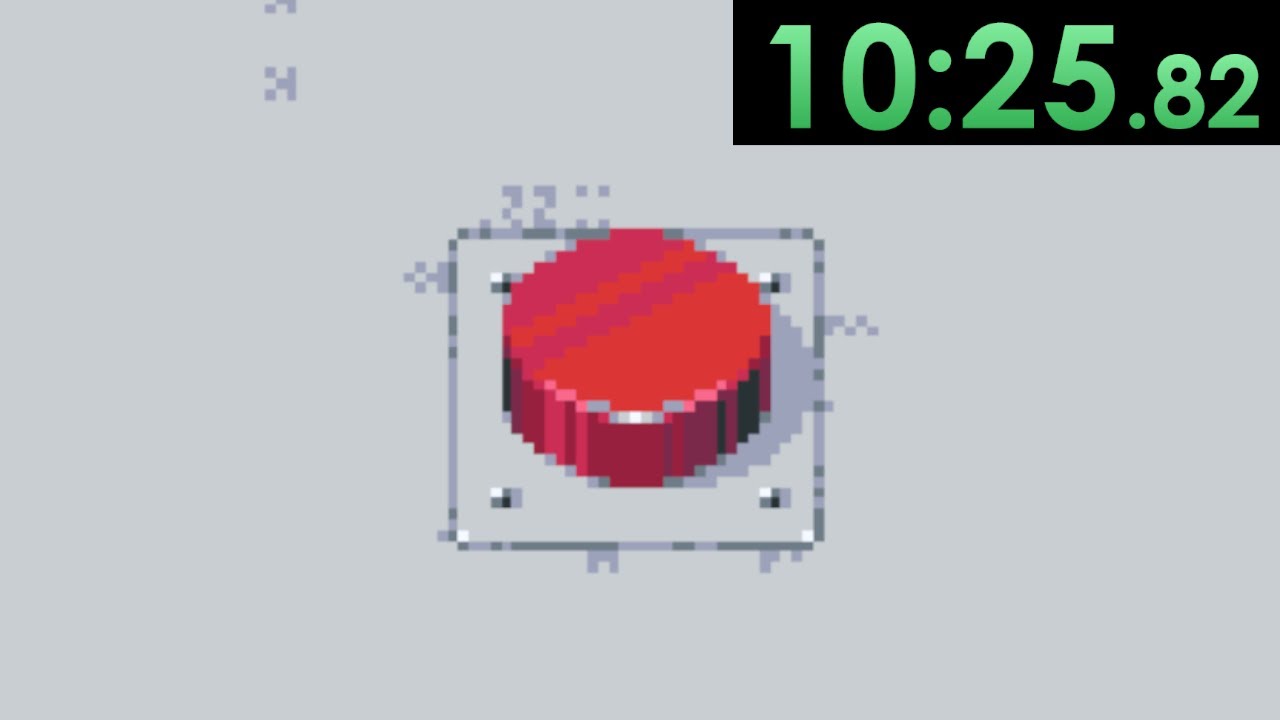
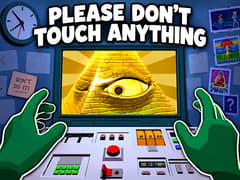
Please, Don't Touch Anything is a cult-favorite, cryptic puzzle simulation developed by Four Quarters. When your co-worker takes a quick bathroom break, you are left alone in front of a retro control panel equipped with a green monitor and a single red button. Your colleague leaves you with one simple rule: "Please, don't touch anything."
Can you resist the urge to push that button? Playing Please, Don't Touch Anything lets you test your curiosity directly in your web browser. The moment you press the button, the desk comes alive with hidden switches, numeric keypads, mechanical tools, and cryptographic riddles. Every button sequence you enter triggers unforeseen chain reactions, from nuclear detonations to bizarre alien encounters and occult anomalies.
Whether you are looking for a brain-racking retro puzzle at home or want to play Please, Don't Touch Anything on Chromebook at school, this browser version delivers all 11 mind-bending endings with zero downloads required on gameVgames.
Core Gameplay of Please, Don't Touch Anything
- The Mysterious Red Button: Everything begins with the main red button. Repeatedly clicking it reveals new drawers, dials, switches, and secret compartments across the desk.
- Environmental Clues: The clues to every puzzle are right in front of you. Decode room posters, wall barcodes, math equations, and binary sequences to progress.
- Interactive Tools: Discover hidden instruments like the screwdriver and hammer to open loose maintenance panels or smash the monitor screen.
- 11 Unique Endings: Every riddle you solve unlocks a different storyline ending, rewarded with a completion stamp on the main console board.
- Instant Reset System: Pull and hold the reset lever on the left to reset the desk and test alternative puzzle branches immediately.
How to Unlock All 11 Endings
- Study the Instruction Poster: The poster hanging above the console holds critical solutions. Inspect the barcode lines to find the Roman numeral combination (213121) and observe the quirky spelling to solve the four-color square sequence.
- Count Your Clicks: Pressing the red button specific numbers of times (1, 2, 8, 15, or 20 times) reveals essential puzzle items like the screwdriver, hammer, or triggers the power-off ending.
- Decode Binary and Keypad Numbers: Use the flip levers to enter binary codes like 1101 or type famous historic years (like 1066 and 3748) into the numeric pad.
- Use the Tools Wisely: Drag unlocked tools onto the panel. Use the screwdriver on the bottom right panel and the hammer directly on the monitor.
- The Ultimate Test of Patience: For one of the secret endings, follow your colleague's instructions literally: do not click anything and wait.
Can I play Please, Don't Touch Anything unblocked on school Chromebooks?
Yes. The game runs directly in modern web browsers via lightweight HTML5, allowing you to play Please, Don't Touch Anything unblocked on Chromebooks, school networks, and restricted Wi-Fi with no restrictions.
Is Please, Don't Touch Anything free to play online?
Yes. You can play Don't Touch Anything online for free on gameVgames with no download, installation, or sign-up required.
How many endings are available in this web version?
This original Ludum Dare browser release from Four Quarters on itch.io features 11 distinct endings. You can track your completion progress on the panel indicator lights.
How do I restart the game if I get stuck?
Whenever an ending is triggered or you wish to start a new puzzle path, click and hold the reset lever on the far left side of the desk.
More Popular Puzzle Games on gameVgames
- Granny Survive a locked, terrifying house by finding hidden keys and solving environment puzzles.
- Dig out of Prison Strategically dig escape tunnels, craft tools, and outsmart guards to win your freedom.
- Bad Parenting Uncover dark domestic secrets by piecing together subtle narrative and visual clues in this psychological horror puzzle.
How to Play
- Left Mouse Click: Interact with buttons, toggle levers, and enter codes.
- Drag & Drop: Pick up tools (screwdriver, hammer) and move them to interactive targets on the console.
- Hold Left Click on Reset Lever: Pull down and hold the lever to reset the puzzle.
Frequently Asked Questions
Keep pressing the main red button. Pressing it 8 times reveals the screwdriver, which you can drag onto the screws of the bottom right panel. Pressing the button 15 times unlocks the hammer, which you can drag and smash against the green monitor to trigger a secret ending.
After opening the lower panel with the screwdriver , four colored squares will appear. Inspect the wall poster carefully for highlighted letters, the correct button sequence is Green, Red, Yellow, Blue.
After entering the Roman numerals code, pull the lever to the right to reveal the binary switch. Entering the binary sequence 1101 (or the binary representation of 666) activates a secret ending.
Whenever an ending is triggered or you want to start completely fresh, pull down and hold the reset lever on the far left side of the desk for a few seconds to erase your save data and reset all unlocked indicators.
Gameplay Video