Geometry Arrow




Geometry Arrow
Sobre el juego
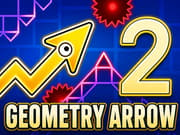
Geometry Arrow es un juego de arcade arcade basado en reacciones rápidas donde guías una flecha afilada a través de peligrosos caminos geométricos llenos de picos, huecos y pasillos estrechos. Inspirado en la jugabilidad de ritmo y precisión, desafía tu tiempo, enfoque y control en cada segundo. Un pequeño error puede enviarte de vuelta al inicio, así que cada movimiento cuenta.
El juego mantiene las cosas simples pero intensas. A medida que la velocidad aumenta y los obstáculos se vuelven más complejos, necesitas mantener la calma y reaccionar rápidamente. Es perfecto para jugadores que disfrutan de desafíos basados en habilidades y mejorar sus reflejos con el tiempo.
La lógica del juego de Geometry Arrow
Navegar por el traicionero túnel geométrico requiere un tiempo perfecto y un enfoque completo.
- Subir: Haz clic y mantén presionado el botón izquierdo del ratón, o presiona la barra espaciadora, para hacer que tu flecha se eleve hacia arriba.
- Bajar: Suelta el botón para dejar que la gravedad tome el control y hacer que tu flecha caiga hacia el suelo.
- Evitar todo: Tu flecha se mueve hacia adelante por sí sola. Tu único trabajo es guiarla hacia arriba y hacia abajo para esquivar las paredes, picos y bloques en movimiento.
- Encuentra el ritmo: Los obstáculos a menudo coinciden con la música de fondo. Escucha el ritmo para ayudar a cronometrar tus descensos y ascensos perfectamente.
¿Cómo desbloqueo nuevas skins para mi flecha?
¡No tienes que jugar con la misma flecha aburrida para siempre! Aquí te mostramos cómo mejorar tu estilo:
- Juega el juego y recoge las monedas brillantes esparcidas por el mapa.
- Sobrevive durante mucho tiempo para ganar grandes puntos de bonificación al final de tu carrera.
- Ve a la tienda del menú principal y gasta tus monedas para desbloquear nuevos colores increíbles y efectos visuales de estela geniales.
¿Es difícil jugar Geometry Arrow?
Al principio se siente fácil, pero rápidamente se vuelve desafiante.
- La flecha se mueve más rápido con el tiempo
- ¡Los obstáculos se acercan y se vuelven más complejos!
- Necesitas mejor tiempo y enfoque
- La práctica te ayuda a mejorar paso a paso
¿Por qué sigo chocando con obstáculos?
Esta es una experiencia común para muchos jugadores.
- El juego se basa en tiempo, no en velocidad.
- Presionar demasiado pronto o demasiado tarde causa choques.
- Observar el camino por delante ayuda mucho.
- Mantener la calma mejora tu control.
Más éxitos de Geometry Vibes creados por gameVgames
Si amas el intenso ritmo y velocidad de Geometry Arrow, ¡necesitas revisar el resto de la increíble serie Geometry Vibes producida aquí mismo en gameVgames!
- Geometry Vibes Salta y vuela a través del plataformas basadas en ritmo que inició toda la locura geométrica.
- Geometry Vibes X Ball Cambia tu flecha por una esfera rodante y rebota a través de túneles llenos de picos increíblemente difíciles.
- Geometry Vibes X Arrow Lleva la mecánica de ola clásica al siguiente nivel con nuevos obstáculos y una banda sonora electrónica vibrante.
- Geometry Vibes 3D Una versión 3D que añade profundidad y perspectiva a la jugabilidad de reacción rápida.
- Geometry Vibes Monster Un giro creativo donde los visuales temáticos de monstruos se encuentran con la mecánica clásica de desafíos geométricos.
Cómo jugar
Controles de PC
- Clic del ratón o tecla de espacio = Mover hacia arriba
- Soltar clic o tecla = Mover hacia abajo
Controles móviles
- Tocar y mantener = Mover hacia arriba
- Soltar = Mover hacia abajo
Preguntas frecuentes
Sí. Los controles táctiles funcionan sin problemas en dispositivos móviles y puedes jugar directamente en tu navegador.
Sí. Puedes jugar Geometry Arrow desbloqueado en gameVgames sin descargar nada.
Mantén la calma, evita reaccionar en exceso y practica para mejorar tu tiempo y control.
Video de Presentación del Juego