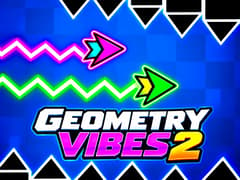
Geometry Vibes 2 Online





Geometry Vibes 2 Online
About This Game
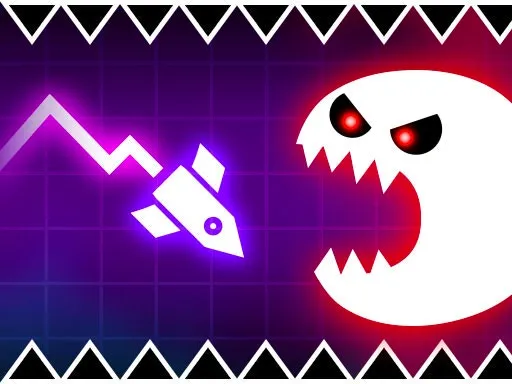
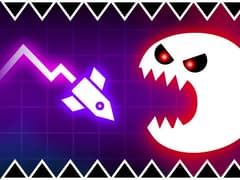
Geometry Vibes 2 Online brings the fast reflex gameplay of the Geometry Vibes series into its biggest and most competitive version yet. Developed by gameVgames this sequel keeps the familiar arrow movement and geometric obstacle design of the original while introducing online multiplayer, 20 Classic levels, a completely redesigned Infinity Mode, new customization options and expanded multiplayer races.
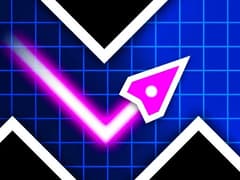
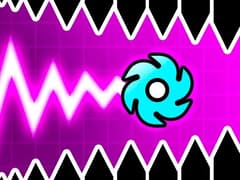
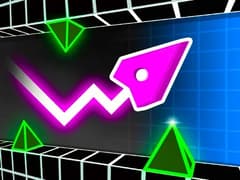
Your objective is simple: guide the arrow through dangerous geometric courses without touching spikes, walls or traps. The controls take only a few seconds to understand, but later sections demand precise timing, quick reactions and a good sense of rhythm.
How to Play Geometry Vibes 2 Online?
Reach the finish without touching spikes, walls or other obstacles.
- Hold LEFT MOUSE BUTTON or SPACE to move up.
- Release to move down.
- Use short taps for narrow gaps and longer holds to climb higher.
Online Multiplayer
One of the biggest additions to Geometry Vibes 2 Online is its online competition system.
You can enter matchmaking and race against another player or create a private room and invite a friend. Both players enter the same challenge, and the first one to successfully reach the end of the level wins.
This changes the feeling of the game considerably. In single player you can concentrate entirely on surviving the course, while online matches add pressure because every mistake can give your opponent the advantage.
20 Classic Levels
The original Geometry Vibes includes 10 Classic stages. Geometry Vibes 2 doubles that number with 20 levels.
The difficulty increases as you progress. Early levels help you understand the movement system, while later stages feature much tighter gaps, more complex obstacle patterns and sections where even a small timing mistake can end your run.
Completing difficult levels becomes less about holding the button for long periods and more about making controlled, precise movements.
A New Infinity Mode
The previous Endless Mode has been replaced by the new Infinity Mode.
Instead of simply reaching the end of a predefined level, Infinity Mode challenges you to survive for as long as possible while the course continues ahead of you.
As your run gets longer, maintaining concentration becomes increasingly important. One poorly timed movement can immediately end a run that took several minutes to build.
Infinity Mode is especially suited to players who want to test their reflexes beyond the standard Classic levels.
Race With Up to 4 Players
Geometry Vibes 2 Online still includes the local multiplayer style that became an important part of the original game.
You can play with 2, 3 or 4 players on the same device. Each player receives a separate control key and races through the course at the same time.
This makes Race Mode ideal for quick competitive matches with friends. Everyone sees the same obstacles, so winning mostly comes down to timing, consistency and avoiding unnecessary mistakes.
Customize Your Arrow
Geometry Vibes 2 offers a much larger customization system than the first game.
There are:
- 24 arrow skins
- 16 different trails
- Custom color options
- Unlockable cosmetic combinations
Coins collected while playing can be used to unlock new arrow designs and trails.
These items do not change the physics of the arrow, so players compete under the same gameplay conditions while still being able to create their own visual style.
Geometry Vibes vs Geometry Vibes 2
- Geometry Vibes 2 was designed as a direct evolution of the first game rather than a completely different experience.
- The basic arrow controls remain familiar, but almost every major part of the game has been expanded.
- The original Geometry Vibes features 10 Classic levels and Endless Mode, while Geometry Vibes 2 introduces 20 Classic levels, Infinity Mode, expanded customization and online multiplayer.
- Players familiar with the first game can therefore start playing immediately without learning a new control system.
Who Developed Geometry Vibes 2 Online?
Geometry Vibes 2 Online is developed by gameVgames. It continues the Geometry Vibes series with a stronger focus on competitive gameplay, multiplayer modes and replayability while preserving the simple one-button movement system that defines the series.
Explore the Complete Geometry Vibes Series on gameVgames
If you want to experience the evolution of our original series or try out different geometric mechanics, test your reflexes in these other legendary titles from the franchise available right on our platform:
- Geometry Vibes Go back to where the rhythm madness started! Experience the classic 10 levels and local multiplayer that built the foundation of our series.
- Geometry Vibes x Ball Switch up your movement mechanics. Control a bouncing ball that constantly switches gravity in this unique spin-off.
- Geometry Vibes x Arrow Focus entirely on the flying mechanics. Guide your arrow through tight, undulating wave portals and dodge relentless spikes.
- Geometry Vibes 3D Step into a new dimension. Experience the classic jumping and dodging gameplay in a stunning, fully 3D environment.
- Geometry Vibes Monster Face off against terrifying backdrops and ix"ntense, monster-themed levels designed only for the most hardcore rhythm players.
How to Play
Player 1: LEFT MOUSE BUTTON or SPACE
Player 2: UP ARROW
Player 3: H
Player 4: L
Frequently Asked Questions
Yes. You can compete against a random online player or create a private room and play directly with a friend.
Yes. Create a private online room and share it with your friend.
Yes. Local Race Mode supports 2 Player, 3 Player and 4 Player gameplay on the same device.
Coins are mainly used for cosmetic progression. Collect coins while playing and use them to unlock new arrow skins and trails.
Yes. Geometry Vibes 2 Online supports phones and tablets with touch controls.
You can play Geometry Vibes 2 Online directly on gameVgames through a supported web browser without downloading a large game client or installing additional plugins.
No. Geometry Vibes 2 is designed to run directly inside your browser. Open the game page on gameVgames and start playing without installing a separate app.