MineSweeper
MineSweeper



MineSweeper
About This Game
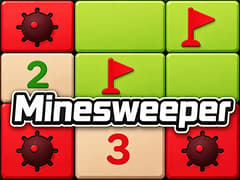
Google Minesweeper is Google’s modern browser version of the legendary logic puzzle that has challenged players for decades. This beautifully polished, modern version of the legendary logic puzzle is available to play directly right here on gameVgames. Whether you want a quick mental warmup or a challenging strategic session, you can dive straight into the grid and test your deduction skills without any downloads!
Your mission is simple but highly dangerous: clear the entire board without detonating a single hidden explosive. Use the numbered clues, carefully plan your next move, and flag all the threats to secure your victory.
Core Gameplay of Google Minseeper
Winning this classic puzzle game requires pure logic, patience, and careful clicks. Here is how you can master the grid:
- Clear the Safe Zones: Click on any covered square to reveal what lies beneath. If it is empty, it will automatically clear surrounding safe squares. If it is a mine, the game ends instantly!
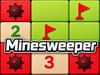
- Decode the Numbers: Every number you reveal is a crucial clue. A number indicates exactly how many hidden mines are touching that specific square (including diagonals).
- Flag the Explosives: Once you use logic to figure out where a mine is hiding, place a flag on it! This secures the spot and prevents you from accidentally clicking it later.
- Pick Your Difficulty: Start with the Easy grid to learn the mechanics, move up to Medium for a standard challenge, or test your ultimate brainpower on the massive Hard board.
Basic Rules
- Click a tile to reveal it.
- If you reveal a mine, the game ends immediately.
- Numbers show how many mines are adjacent to that square.
- Use the clues to determine where hidden mines must be located.
- Flag suspected mines to avoid accidental clicks.
- Clear every safe square to win.
Can I blow up on my very first click?
No, you are completely safe! Google Minesweeper guarantees that your very first click will always be a safe empty square to help you start the game smoothly.
Is the game purely logic, or do I ever have to guess?
It is mostly logic, but sometimes you will face a 50/50 situation where numbers do not give a clear answer. In those rare cases, you just have to trust your luck and guess
Do I have to flag every single mine to win?
No! You win by successfully revealing all the safe squares on the board. Flagging helps you keep track of danger, but opening every safe spot triggers the victory.
What does it mean when a square has the number 3?
A number 3 means there are exactly three hidden explosives in the eight squares directly touching it. Use overlapping numbers nearby to successfully pinpoint them!
Is there a secret trick to clear squares faster?
Yes! If you flag all the correct mines touching a specific number, click on that number itself. It will instantly reveal all the remaining safe squares around it.
How do I place a flag on a mobile device?
On mobile devices, simply tap the flag icon on your screen to switch from "digging" mode to "flagging" mode. Then, tap any square to place a flag safely.
Is there a time limit to clear the board?
There is no countdown timer forcing you to rush, but there is a stopwatch! The ultimate goal is to safely clear the entire board as fast as possible to beat your personal record.
More Classic Google Doodle Games
If you love the nostalgic thrill of Google's browser games, check out these other legendary classics available on gameVgames:
- Pac-Man 30th Anniversary Relive the arcade golden age! Navigate the iconic maze, eat the dots, and dodge the colorful ghosts in this perfect recreation of the legendary classic.
- Google Snake Eat the apples and grow as long as you can without crashing into the walls or your own tail in this highly addictive version of the classic Snake game.
- Doodle Baseball Step up to the plate and swing for the fences! Play as your favorite classic American foods and try to score as many home runs as possible before striking out.
- Doodle Cricket Take control of a team of crickets and play against the snails! Time your swings perfectly to hit boundaries and score massive runs in this relaxing sports game.
- Google Block Breaker Keep the ball bouncing and destroy every brick on the screen. Test your paddle skills in this fantastic homage to the retro Atari breakout genre.
How to Play
Desktop / PC
- Left Click: Reveal a tile.
- Right Click: Place or remove a flag on a suspected mine.
- Middle Click (or Left + Right Click on supported browsers): Reveal all surrounding tiles after correctly flagging adjacent mines.
Mobile / Tablet
- Tap: Reveal a tile.
- Tap and Hold: Place or remove a flag on a suspected mine.
Frequently Asked Questions
Google Minesweeper is Google’s browser-based version of the classic Minesweeper puzzle game where players use numbered clues to locate hidden mines without triggering them.
Mostly no. While a few situations may require guessing, the majority of the game can be solved through logical deduction and careful analysis.
Yes. Google Minesweeper works on most modern smartphones and tablets using touch controls.
Yes. Since it runs directly in the browser, Google Minesweeper works very well on Chromebooks.
If gameVgames is accessible on your network, you can usually enjoy Google Minesweeper directly from your browser without installing software.
Each number shows how many mines are touching that square horizontally, vertically, or diagonally.
Gameplay Video