Pacman 30th Anniversary
Pacman 30th Anniversary


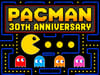
Pacman 30th Anniversary
About This Game
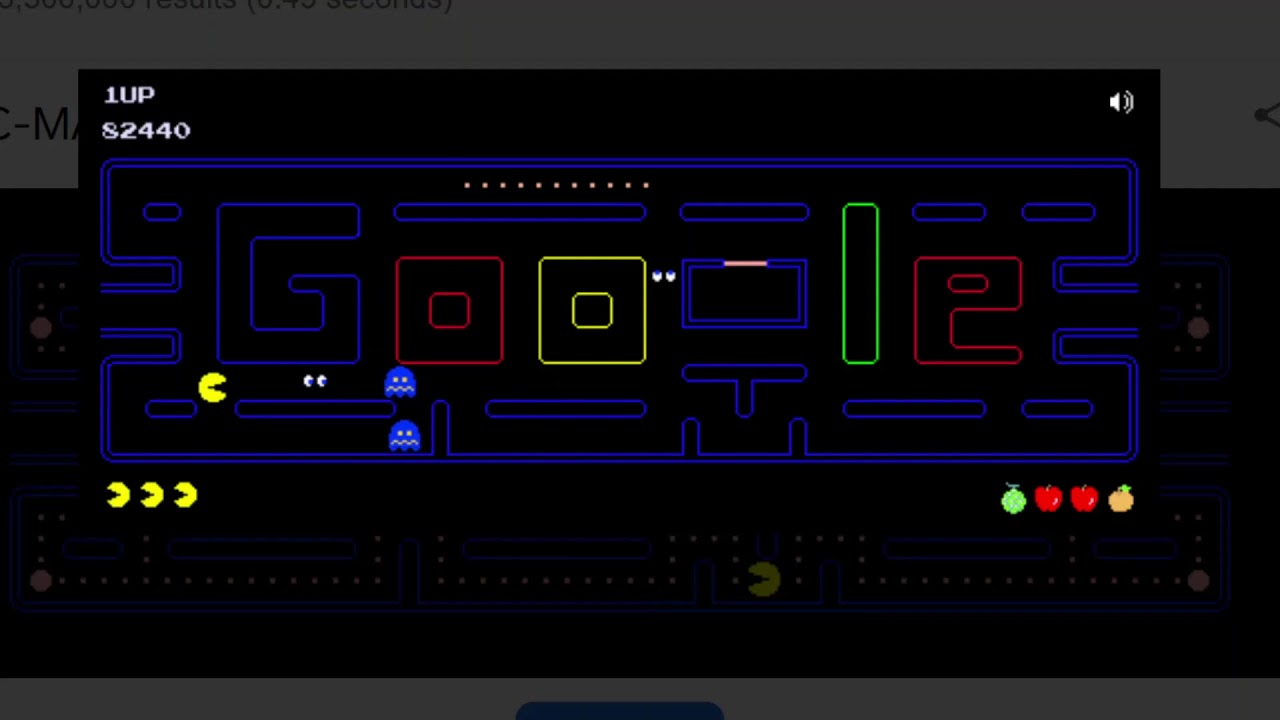
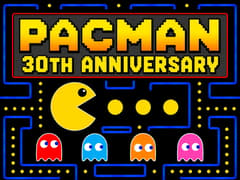
Pacman 30th Anniversary is one of the most famous browser games ever released. Originally launched by Google on May 21, 2010, this interactive Google Doodle celebrates the 30th anniversary of Pac-Man, one of the most influential video games in history. Instead of displaying its usual homepage logo, Google surprised millions of visitors with a fully playable version of the arcade classic.
Created in collaboration with Namco, this special edition celebrates three decades of the pop-culture phenomenon. It faithfully recreates the original logic, graphics, and sounds of the arcade classic while integrating a unique Google-shaped maze.
Experience this piece of internet gaming history securely and directly right here on gameVgames!
Core Gameplay of Pacman 30th Anniversary
Surviving the maze requires quick thinking, pattern recognition, and a healthy appetite. Here is how you can conquer the retro challenge:
- Clear the Maze: Your primary objective is to guide Pacman through the neon blue maze and eat all the standard dots scattered across the board to advance to the next level.
- Avoid the Ghosts: You are constantly being hunted by four colorful ghosts, each with unique AI behaviors: Blinky (Red - chases aggressively), Pinky (Pink - ambushes), Inky (Cyan - unpredictable), and Clyde (Orange - wanders). If they touch you, you lose a life!
- Turn the Tables: Eat one of the four large, flashing Power Pellets located in the corners of the maze. This temporarily turns the ghosts blue, allowing Pacman to eat them for bonus points.
- Unlock Co-op Mode: This specific 30th Anniversary edition features a hidden multiplayer mode! If you click "Insert Coin" a second time, Ms. Pacman will join the maze, allowing two players to play cooperatively on the same keyboard.
Authentic Ghost AI Logic
One of the most praised aspects of this recreation is its mathematical accuracy. The ghosts do not just wander the maze randomly; they strictly follow their exact 1980 arcade programming:
- Blinky (Red): Aggressively targets your exact current position.
- Pinky (Pink): Calculates four tiles ahead of your current path to cut you off.
- Inky (Cyan): Uses a complex flanking maneuver based on Blinky's location to trap you.
- Clyde (Orange): Chases you until he gets dangerously close, then abruptly retreats to his designated corner.
How do you play 2 Player in Pacman 30th Anniversary?
To play 2 Player mode, click the “Insert Coin” button twice before starting the game. The second player controls Ms. Pac-Man. Player 1 uses the Arrow Keys, while Player 2 uses the W, A, S, and D keys. Both players share the same maze and work together to clear every dot while avoiding the ghosts.
Pro Tip: How to Mute for Quiet Play
Since the original Google Doodle interface does not feature a built-in volume slider or mute button on the screen, players on forums often ask how to play it quietly at work or school. The community's favorite workaround is a simple browser trick: just right-click the active tab at the top of your web browser and select "Mute Site" or "Mute Tab." This allows you to enjoy the retro action in complete silence.
Seamless Mobile and Touchscreen Play
Because this Doodle was built using modern HTML5 technology rather than outdated Flash, it runs flawlessly on modern smartphones and tablets. You do not need a digital gamepad; you can easily navigate the maze by simply swiping your finger across the touchscreen. The game naturally buffers your input, ensuring your character turns smoothly at the next available corner.
The Legendary Level 256 Kill Screen
The developers were so dedicated to historical authenticity that they even recreated the most famous arcade glitch in gaming history. If a highly skilled player manages to survive and reach level 256, the right half of the maze will corrupt into a jumbled, glitchy mess of random text and symbols. Just like the original 1980 cabinet, this "kill screen" makes it virtually impossible to progress any further.
Does Pacman 30th Anniversary have a God Mode?
No. Pacman 30th Anniversary does not include an official God Mode or invincibility cheat. The only way to temporarily defeat ghosts is by eating a Power Pellet.
How do you win Pacman 30th Anniversary?
There is no final ending. You “win” each stage by collecting every dot in the maze while avoiding ghosts. The game continues with increasingly difficult levels until you lose all your lives.
How many levels does Pacman 30th Anniversary have?
Pacman 30th Anniversary does not have a fixed number of levels. Like the original arcade game, it continues indefinitely with progressively harder stages, challenging players to achieve the highest possible score.
Does the Pacman 30th Anniversary Doodle have an ending?
Yes! Just like the original 1980 arcade cabinet, the Google Doodle version faithfully simulates the infamous "Level 256 Kill Screen." If you manage to survive that long, the right side of the screen will glitch into a mess of random characters, making the level impossible to beat.
How do you pause Pacman 30th Anniversary?
The original Google Doodle does not include a dedicated pause button. In many browsers, the game will pause automatically if you switch to another tab or window, but this behavior depends on your browser and version.
How did Google recreate the game so accurately?
The developers went to great lengths to ensure authenticity. They programmed the game to include the original bugs and quirks of the 1980 arcade version, including the specific mathematical logic that dictates how each ghost hunts the player.
More Classic Google Doodle Games on gameVgames
If you loved the nostalgic arcade action of the Pacman 30th Anniversary, you absolutely must experience these other legendary interactive Google Doodles available right now on our platform:
- Google Snake Jump into the ultimate modern recreation of the classic Nokia mobile game. Guide your ever-growing snake, eat apples, and try not to crash into your own tail in this highly addictive arcade staple.
- Doodle Baseball Step up to the plate! Celebrate the Fourth of July with this incredibly charming baseball mini-game where your favorite classic American picnic foods face off against a team of peanut pitchers. Test your batting timing and aim for a home run!
How to Play
- Player 1 (Pacman): Use the Arrow Keys to navigate the maze.
- Player 2 (Ms. Pacman - Co-op Mode): Use the W, A, S, D keys to move.
- Mobile / Tablet: Simply swipe your finger across the touchscreen in the direction you want Pacman to turn.
Frequently Asked Questions
Pacman 30th Anniversary is Google’s official interactive Doodle released in 2010 to celebrate 30 years of the original Pac-Man arcade game.
It is an official recreation by Google that closely matches the original 1980 arcade version while running directly in a web browser.
The game was developed by Google’s Doodle team as a tribute to Bandai Namco’s iconic Pac-Man franchise.
Yes. It works on most modern smartphones and tablets through a compatible web browser.
Yes. The game runs smoothly on Chromebooks using Chrome or other modern HTML5 browsers.
No. The game is designed for arcade-style sessions, so scores reset when you start a new game.
No. The game is primarily a single-player experience, although the original Google Doodle included a special two-player mode using Ms. Pac-Man.
Press the Insert Coin button twice before starting the game to activate the two-player mode with Ms. Pac-Man.
There is no traditional ending. The challenge continues with progressively harder stages, just like the original arcade game.
Yes. If gameVgames is accessible on your network, you can play Pacman 30th Anniversary directly in your browser.
It combines authentic arcade gameplay with instant browser access, making one of gaming’s greatest classics easy for everyone to enjoy.
Learn the ghost patterns, save Power Pellets for dangerous situations, and clear difficult sections of the maze early to maximize your score.
Gameplay Video