gameVgames
Rubik's Cube

Rubik's Cube

Rubik's Cube

Rubik's Cube

Rubik's Cube

PC

  • Left Mouse Button — Click and drag to rotate cube faces.
  • Mouse Drag — Rotate the camera around the cube.

Mobile

  • Swipe to rotate cube faces.
  • Drag to adjust the camera angle.
Rubik's Cube

Rubik's Cube
Developer: Boris Šehovac
Rating: 10.0 (1 votes)
Released: August 2026
Technology: HTML5
Platforms:
Desktop Mobile Tablet

About This Game

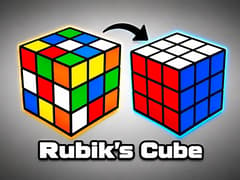
There’s a reason the Rubik’s Cube has remained one of the world’s most iconic puzzles for decades. Developed by the talented Boris Šehovac, Rubik's Cube is a stunning, WebGL-powered 3D Rubik's Cube simulator that brings the world's most famous combination puzzle right to your screen. Adjust the cube size, customize the scrambling difficulty, switch camera views, choose different rotation animations, and even change the cube’s color theme. It feels modern while staying true to the classic puzzle everyone knows.


Rubik's Cube Core Gameplay

Solving a Rubik's Cube requires logical thinking, pattern recognition, and spatial awareness. Here is how you can tackle this 3D challenge:

  • Analyze the Puzzle: Before making your first move, take a moment to rotate the entire cube and see where all the colored blocks are located.
  • Twist and Turn: Interact with the specific rows and columns of the cube to twist them into place. Your goal is to move the colored stickers around the 3D space until every single face of the cube has only one solid color.
  • Use Algorithms: If you want to solve it efficiently, try practicing popular real-world cubing methods, like the White Cross, F2L (First Two Layers), or the classic beginner's "Righty/Lefty" algorithms. The digital cube behaves exactly like a real one!


Tips for Solving Faster

Whether you’re just getting started or trying to improve your times, these tips can help.

  • Begin with the classic 3×3 cube before attempting larger sizes.
  • Learn the beginner layer-by-layer method.
  • Focus on solving one face first instead of random colors.
  • Practice common algorithms until they become muscle memory.
  • Increase scramble length as your skills improve.
  • Use the Orthographic camera if you prefer a clearer view of the puzzle.


Game Features

This version includes several customization options that let you tailor the puzzle to your preferences.

Choose Your Cube Size

Select the level of challenge before you begin.

  • 2×2 Cube – Perfect for beginners and quick solving sessions.
  • 3×3 Cube – The classic Rubik’s Cube played worldwide.
  • 4×4 Cube – Introduces more advanced solving mechanics.
  • 5×5 Cube – A true challenge for experienced cubers.


Customize Flip Animations

Choose how the cube rotates while solving.

  • Swift – Fast and responsive turns.
  • Smooth – Fluid animations with balanced movement.
  • Bounce – Adds playful motion to every rotation.


Adjust Scramble Length

Control how mixed the cube becomes before solving.

  • Shorter scrambles are easier.
  • Longer scrambles create more realistic challenges.
  • The default 25-move scramble closely resembles official competition scrambles.


Select Your Camera View

Play from the angle that feels most comfortable.

  • Orthographic offers a clean, flat view that’s easy to read.
  • Perspective creates a more immersive 3D experience


Pick a Color Theme

Personalize the appearance of your cube.

Available themes include:

  • Cube
  • Erno
  • Dust
  • Camo
  • Rain

Changing themes only affects the visuals, allowing you to customize the look without changing gameplay.


How to solve a Rubik's cube?

The easiest way for beginners is the "Layer-by-Layer" method. You start by solving a "White Cross" on one face, matching the edge pieces to their corresponding center colors. Next, you insert the white corners to finish the first layer. After that, you solve the edges of the middle layer, create a yellow cross on the top, and finally use a few simple sequences of moves (algorithms) to position and orient the last yellow corners perfectly.


How to solve a 3x3 Rubik's cube?

A 3x3 cube is the standard size, featuring center pieces (which never move relative to each other), edge pieces (with two colors), and corner pieces (with three colors). To solve it quickly, advanced players use the CFOP method: Cross (building the starting cross), F2L (solving the First 2 Layers simultaneously), OLL (Orienting the Last Layer so the top is all one color), and PLL (Permuting the Last Layer to move the pieces into their correct spots).


How to solve a 2x2 Rubik's cube?

A 2x2 cube might look simpler, but it still requires logic! Because it has no center or edge pieces, you only have to solve the corners. The strategy is similar to the 3x3: first, solve one solid colored face with the correct surrounding ring (the first layer). Then, turn the cube over to orient the opposite color on the top face. Finally, use a swapping algorithm to move the top corners into their matching positions.


Can I scramble the cube to start a new game?

Yes! Most versions of this game feature a "Scramble" or "Shuffle" button on the screen. Pressing it will trigger a fast, randomized sequence of turns, completely mixing up the colors so you can start a brand new solve.


Are there any timers or move counters in this game?

This version of The Cube focuses entirely on providing a relaxing, highly polished sandbox experience. There are no built-in ticking clocks or stressful move limits, allowing you to take as much time as you need to figure out your next twist!


More Challenging Puzzles on gameVgames

If you loved testing your brain with the spatial logic of The Cube and want to push your skills to the absolute limit, you must try these legendary puzzle and arcade challenges available on our platform:

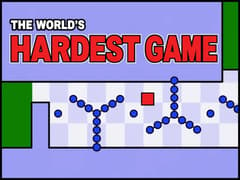
  • World's Hardest Game Step away from puzzles and test your pure reflexes! Navigate a fragile red square through incredibly difficult, trap-filled mazes while dodging moving blue dots. It takes perfect timing, massive patience, and nerves of steel to reach the finish line!
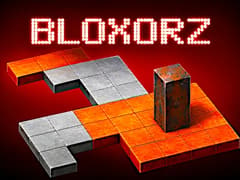
  • Bloxorz Experience one of the most beloved logic puzzle games of all time! Carefully roll a 3D rectangular block across a floating grid and try to drop it perfectly into the square hole. Watch out for fragile tiles and tricky switches in this mind-bending spatial challenge.
Released Date: 11.08.2026 Last Updated: 11.08.2026

How to Play

PC

  • Left Mouse Button — Click and drag to rotate cube faces.
  • Mouse Drag — Rotate the camera around the cube.

Mobile

  • Swipe to rotate cube faces.
  • Drag to adjust the camera angle.

Frequently Asked Questions

Can beginners play Rubik’s Cube?

Absolutely. Starting with the 2×2 or 3×3 cube is a great way to learn the fundamentals before progressing to larger cubes.

Can I play Rubik’s Cube online for free?

Yes. You can play Rubik’s Cube online for free on gameVgames with no downloads, installation, or registration required.

Can I play Rubik’s Cube on mobile?

Yes. The game supports touch controls and works well on most smartphones and tablets.

Can I play Rubik’s Cube Unblocked?

Yes. If gaming websites are available on your network, you can play Rubik’s Cube Unblocked directly through your web browser on GameVGames.

What is Scramble Length?

Scramble Length controls how many random moves are applied before the puzzle begins. Higher values generally create more challenging and realistic scrambles.

Can I switch between Orthographic and Perspective views?

Yes. You can change the camera angle at any time to whichever view you find easier to solve with.

Can I customize the cube colors?

Yes. Choose from several built-in color themes including Cube, Erno, Dust, Camo, and Rain.

Developer

Report Issue

We're sorry you didn't like this game.

We would be happy if you could give us a little feedback. It only takes a few seconds.