Eaglercraft

Eaglercraft

Eaglercraft

Eaglercraft
Eaglercraft Eaglercraft


  • WASD: Move
  • Mouse: Look around
  • Space: Jump
  • Left Click: Attack or break blocks
  • Right Click: Use an item or place blocks
  • E: Open inventory
  • Shift: Sneak
  • Number Keys 1–9: Select an inventory slot
  • Q: Drop the selected item
  • Esc: Open the game menu

게임에 대해

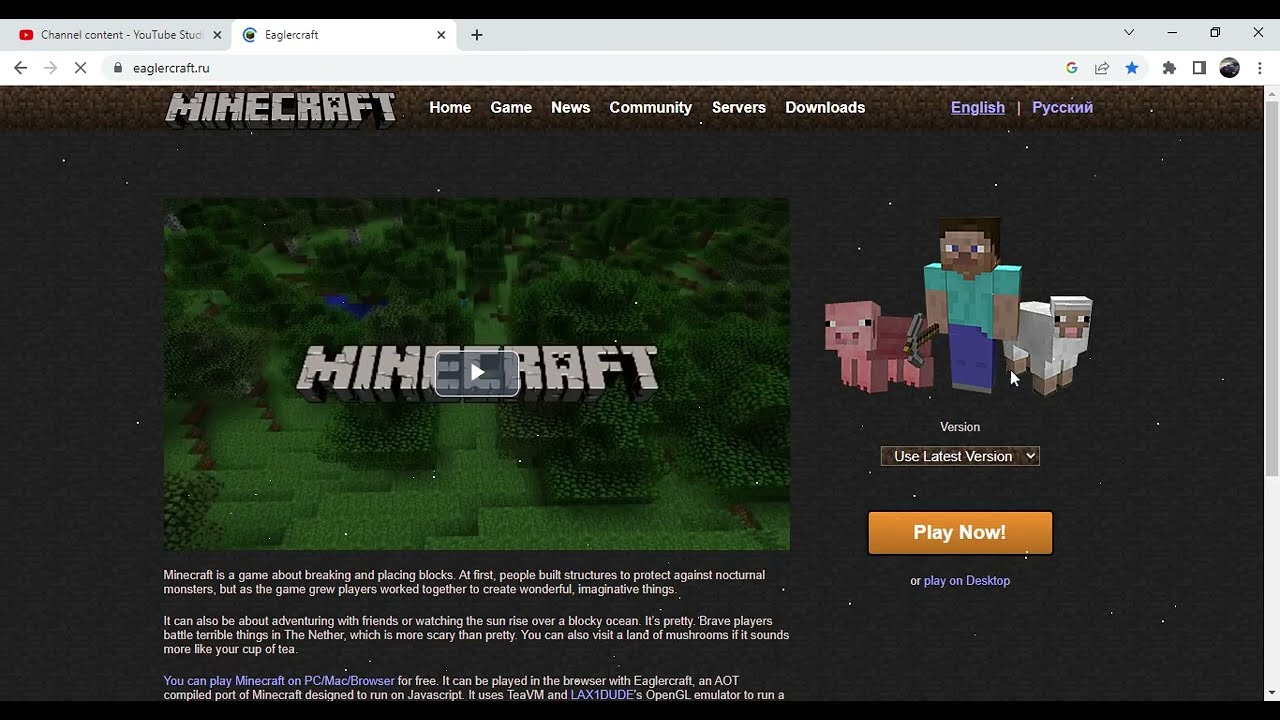
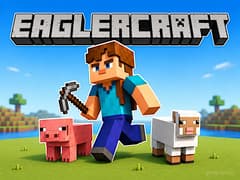
Eaglercraft brings the familiar block-building sandbox experience directly to your web browser. Explore a huge pixelated world, collect resources, craft useful equipment, construct creative buildings, and meet other players online without installing a separate game client.


The version available on gameVgames focuses on online multiplayer gameplay. After choosing your username, you can enter the server and begin exploring a shared world filled with other real players. Work together to build a settlement, trade resources, explore distant locations, or compete for survival. Since every player can change the environment, the world continues to evolve as new structures, tunnels, farms, and hidden bases appear.


Eaglercraft is inspired by classic Minecraft Games and runs through modern browser technology. It keeps the core sandbox mechanics of mining, crafting, building, exploration, and survival while making them accessible through a browser. The project is community-driven and is not affiliated with Mojang.


Core Gameplay of Eaglercraft Game

  • Real-Time Multiplayer: Join populated servers, team up with your friends, or compete against players from all over the world.
  • Zero Downloads: Jump straight into the action! The game runs completely within your web browser, making it perfect to play anywhere.
  • Survival & Creative Modes: Farm resources, craft weapons, and fight off monsters, or let your imagination run wild with unlimited blocks.
  • Familiar Mechanics: Enjoy all the classic crafting recipes, mining mechanics, and exploration features you already know and love.


Online Multiplayer Eaglercraft Gameplay

  1. The multiplayer world is shared with other players in real time. You may find completed houses, unfinished projects, farms, underground tunnels, and large community buildings created by previous visitors.
  2. You can cooperate with friends to gather resources faster and build larger structures.
  3. Public servers can have their own rules, game modes, and communities, so the exact experience may change depending on the server you join.
  4. Multiplayer performance can also depend on your browser, device, internet connection, and the server’s current activity.


How do I join a multiplayer server in Eaglercraft?

Simply click on the "Multiplayer" button on the main menu. From there, you can choose "Add Server" or "Direct Connect," enter the server IP you and your friends want to join, and hop right in!


How do I fix my mouse cursor glitching or leaving the game window?

This is a common browser game issue. To fix it, press the ESC key to pause the game, then click back directly into the center of the game window to lock your cursor. Playing in full-screen mode (F11) usually prevents this entirely.


Can I change my skin or use custom texture packs?

Yes! Eaglercraft supports custom skins. Before joining a server or starting a single-player world, you can go into the profile settings on the main menu and upload your very own custom skin file.


Will this run smoothly on a Chromebook or a low-end laptop?

Absolutely. Eaglercraft is specifically optimized for web browsers, making it run incredibly well on Chromebooks and older hardware. If you do experience any frame drops, simply go into the Video Settings and lower your "Render Distance."


Games Inspired by Minecraft

If you love the blocky adventures and sandbox crafting of Eaglercraft, explore these other amazing Minecraft-inspired titles on gameVgames:

  • Mineland A fun and relaxing 2D crafting and survival game. Dig deep into the earth, gather resources, and build your own blocky world from a side-scrolling perspective!
  • Bloxd.io A fast-paced multiplayer voxel game packed with various exciting modes like parkour, survival, and peaceful building. It offers a smooth browser experience with unique mini-games for competitive fun.
  • Minefun.io Jump into this casual IO-style block game where you can explore, mine, and interact with other players in a massive shared universe. It is the perfect quick escape for fans of rapid block-building adventures
출시 날짜: 25.07.2026 최종 업데이트: 25.07.2026

어떻게 플레이하나요?

  • WASD: Move
  • Mouse: Look around
  • Space: Jump
  • Left Click: Attack or break blocks
  • Right Click: Use an item or place blocks
  • E: Open inventory
  • Shift: Sneak
  • Number Keys 1–9: Select an inventory slot
  • Q: Drop the selected item
  • Esc: Open the game menu

자주 묻는 질문

Is Eaglercraft an online multiplayer game?

Yes. The version available on gameVgames connects you to an online multiplayer world where you can explore, build, and interact with other real players.

Can I play Eaglercraft with friends?

Yes. You and your friends can play together by joining the same multiplayer server. Everyone should select the same server and use a different username.

Do I need to download Eaglercraft?

No. Eaglercraft runs directly in a compatible web browser, so you do not need to download or install a separate game client.

Is Eaglercraft the official Minecraft game?

No. Eaglercraft is a community-created browser project inspired by Minecraft. It is not an official Mojang or Microsoft game.

Is Eaglercraft unblocked?

Eaglercraft can be played through a browser on networks where the game page is accessible. Availability depends on the restrictions applied by your school, workplace, internet provider, or network administrator.

Can other players destroy my buildings?

It depends on the server rules. Some servers protect claimed areas, while others allow players to modify or destroy buildings. Keep valuable items in a safe location and check the server rules before building.

Can I play Eaglercraft in fullscreen?

Yes. You can use the fullscreen button on the game page or your browser’s fullscreen shortcut for a larger gameplay view.

Can I create my own multiplayer server?

Server creation options depend on the version and platform you are using. Some Eaglercraft communities provide tools for hosting private or public servers.

Are all Eaglercraft servers the same?

No. Each server may have different rules, worlds, game modes, plugins, communities, and protection systems. Some focus on survival, while others may offer creative building, minigames, or competitive gameplay.

Can I play Eaglercraft on mobile?

No. The version available on gameVgames is designed for desktop browsers and requires a keyboard and mouse. Mobile devices and touchscreen controls are not supported.

게임 소개 영상

Video Trailer

Developer

문제 보고

이 게임이 마음에 들지 않으셨다니 유감입니다.

우리가 조금 피드백을 주신다면 기쁠 것입니다. 몇 초밖에 걸리지 않습니다.