Granny 3
Granny 3





Granny 3
About This Game
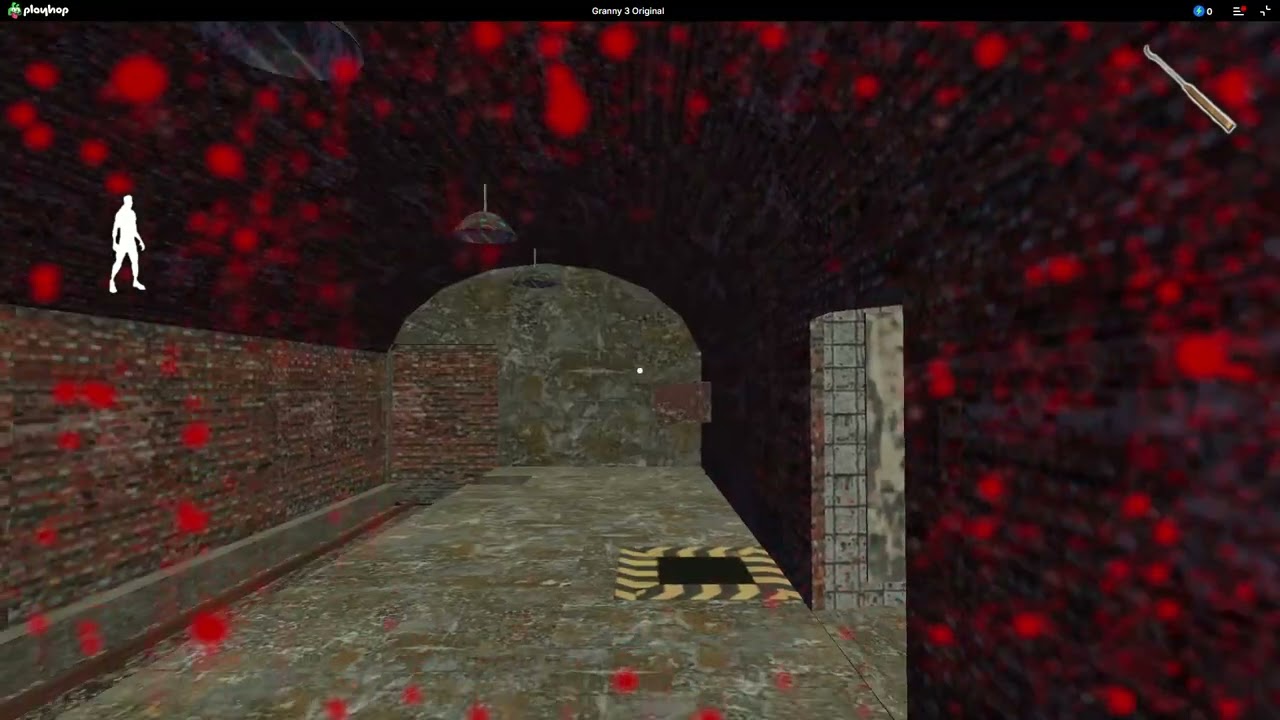
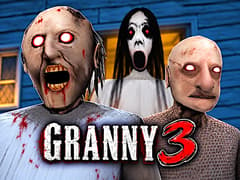
Welcome to the most terrifying family reunion ever! In Granny 3, Granny and Grandpa have moved into a brand-new, massive mansion, and they are not alone their spooky granddaughter, Slendrina, has joined them to make your life a nightmare. Granny has sharp hearing, Grandpa is dangerously accurate with his gun, and Slendrina can leave you helpless when you look at her. Running away is only part of the challenge; knowing which threat you are dealing with matters just as much.
Before entering the house, you can adjust the difficulty and choose which characters will appear. Leave the whole family enabled for a tense escape attempt, or reduce the pressure while you get familiar with the surroundings. The house is easier to understand when you are not trying to learn its layout and survive every enemy at the same time.
Core Gameplay of Granny 3
Escaping this heavily guarded mansion requires absolute silence, strategic planning, and nerves of steel. Here is how you can survive your five-day nightmare:
- Stay Dead Silent: Granny hears everything. If you drop an item or step on a creaky floorboard, she will come running. Always crouch to minimize your footsteps!
- Watch the Family: Grandpa doesn't hear very well, but he patrols the house with a double-barreled shotgun. Slendrina’s ghost will also randomly appear to haunt you if you see her, look away immediately before she drains your health!
- Gather Tools: You will need to explore every room, drawer, and hidden passage to find essential escape items like keys, wires, and fuses.
- Plan Your Route: You cannot just walk out the front door. You must choose to escape either by unlocking the main gate or by repairing the rusty train in the basement.
Difficulty Settings
- The title screen offers Easy, Normal, Hard, and Practice, with Normal displayed as “Norm.”
- On Easy, Granny and Grandpa move slowly, and Granny is less attentive. The menu also states that Slendrina knocks you out after six seconds of looking at her on this setting. Do not treat that as an invitation to stare; turning away immediately is the safer habit.
- The separate character checkboxes give you another way to adjust the challenge. For example, you can keep Granny and Grandpa active while removing Slendrina, rather than changing the difficulty for the entire game.
Tips and Tricks
- Learn one enemy at a time. Try an attempt with only Granny enabled, then add Grandpa or Slendrina. This makes it easier to understand which part of your approach needs changing.
- Remember where you leave things. When you put an item down, associate it with a recognizable room or piece of furniture. Searching the whole house again is an avoidable detour.
- Plan the return trip. Before moving into unfamiliar territory, remember the last room you understood well. Give yourself somewhere familiar to retreat toward.
- Use practice runs with a purpose. Pick one part of the house to investigate or one interaction to understand. You will learn more than you would by wandering through every room without a plan.
How do I avoid getting caught by Slendrina?
Do not keep looking at her. Turn your view away when she appears rather than stopping to watch her. The Easy-mode description specifically warns that looking at her for six seconds will knock you out.
Can I use weapons against the enemies?
Weapons can stop Granny and Grandpa, but they do not work against Slendrina. Having a weapon does not protect you from every threat in the house.
Can I explore without Granny or Grandpa chasing me?
Yes. Disable their individual checkboxes before pressing Play. For a practice attempt without any of the three characters, make sure Slendrina is disabled as well.
How to escape Granny 3 house?
There are two main ways to escape the property. The Main Gate Escape requires you to find the padlock key, the bridge crank, and power the gate system. Alternatively, you can complete the Train Escape by heading to the basement, finding the train key, the accelerator, and firing up the generator to drive the train right through the gates!
Where is the generator in Granny 3?
The generator is a crucial piece of equipment for both escape routes. You can find it located outside the main house, inside a small, locked wooden shed near the front gate. You will need to find the shed key to access it, and then gather cables to connect the power grid.
How to get the shotgun in Granny 3?
Unlike previous games where you could assemble a weapon, Grandpa is actively carrying the shotgun! To get it, you must first find the slingshot or the stun gun. Shoot Grandpa to temporarily stun him; he will drop the shotgun, allowing you to pick it up and use it to defend yourself. (Just remember to find ammo!)
How many endings are there in Granny 3?
There are two main "successful" endings: escaping via the Train and escaping via the Main Gate. However, there are multiple "Game Over" endings. Depending on where you are caught on Day 5 (or if you fall off the roof, get blasted by Grandpa, or get caught by the pet crocodile in the moat), you will experience different, terrifying death animations!
Explore the Complete Granny Series on gameVgames
If you managed to survive the terrifying mansion in Granny 3, you absolutely must experience the rest of the legendary survival horror series right here on our platform:
- Granny Go back to where the nightmare started! Wake up in the original creepy, decaying house and try to solve the puzzles, unlock the front door, and escape before the hyper-sensitive Granny catches you.
- Granny 2 The horror continues in Chapter Two! This time, Grandpa has joined the hunt. Navigate a brand-new, terrifying environment, dodge the deadly duo, and find a way out through the front door or via the escape boat.
Controls
Move: W, A, S, D
Interact: E
Crouch: C
Hide under a bed: R
Drop Item: Spacebar
Frequently Asked Questions
Yes. Uncheck Slendrina on the title screen before starting. Granny and Grandpa have their own checkboxes, so removing Slendrina does not require disabling the other two.
The Play Here edition is listed for PC, Android, and iOS. Mobile compatibility can vary by device and browser; the published keyboard controls above are for desktop play.
This browser edition is credited to Play Here and uses the Unity game engine.
Gameplay Video