Obby Cart Ride Sandbox





Obby Cart Ride Sandbox
About This Game
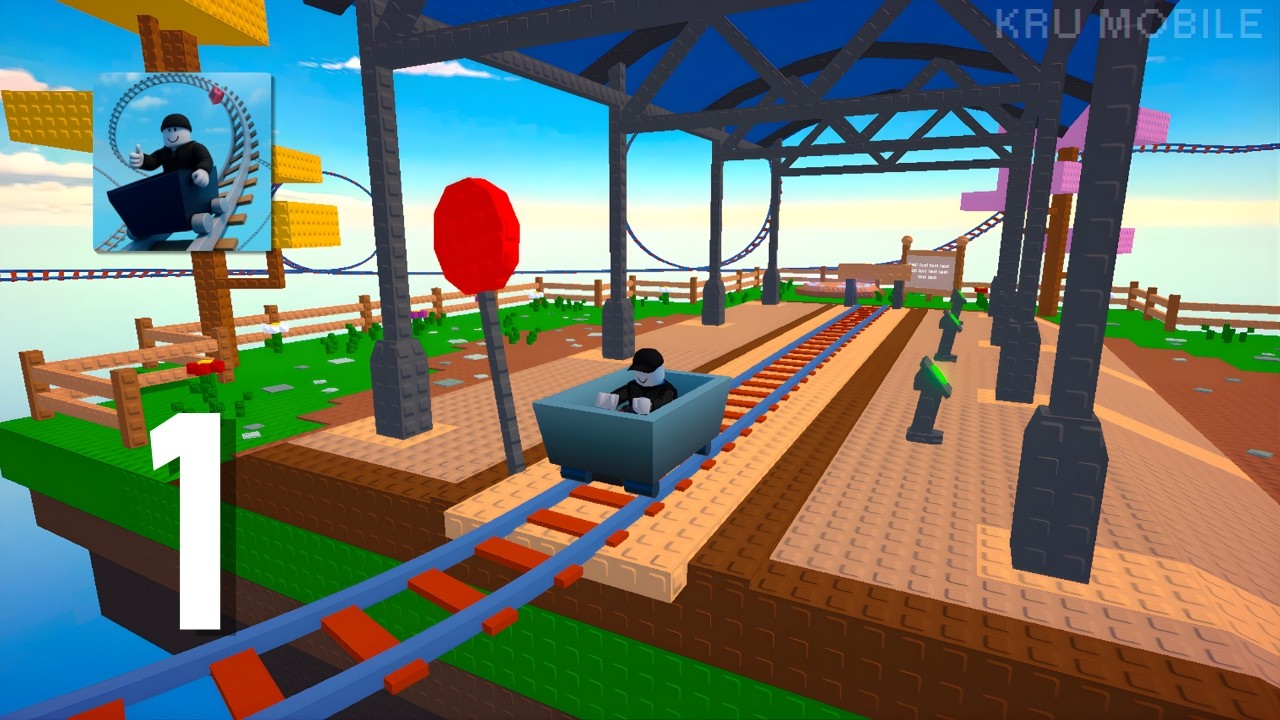
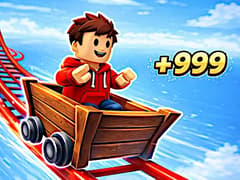
Brace yourself for the ultimate test of reflexes and precision in Obby Cart Ride Sandbox, now available on gameVgames! Strap into your minecart and navigate a sprawling network of dangerously narrow rails suspended high in the air. Every single twist, sharp corner, and sudden drop will push your driving skills to the absolute limit. It's not just about holding down the gas; you must master the delicate physics of accelerating through steep straightaways and braking sharply to avoid careening off the edge into the abyss.
The routes become increasingly demanding as you progress. You will need to combine movement, jumping, and interactions while keeping an eye on what comes next. Unlockable minecarts and different routes give you more to explore as you work toward completing every challenge.
How to Play Obby Cart Ride Sandbox?
- Your goal is to reach the finish without falling off the rails. Guide your minecart through the course, adjust your speed for dangerous sections, and use jumps and interactions when needed to continue.
- Keep your camera pointed toward the route ahead. Seeing a turn early gives you time to slow down, while spotting an obstacle in advance helps you prepare your next move. Approach unfamiliar sections carefully, then increase your pace as you learn how to handle them.
Tips for Staying on the Rails
- Slow down before sharp corners. Entering a turn at a manageable speed makes it easier to stay in control.
- Look ahead. Watch the upcoming section so you can prepare for obstacles before reaching them.
- Use small adjustments. Careful movements help you maintain your balance along narrow rails.
- Time your jumps. Pay attention to your approach instead of jumping at the last moment.
- Learn difficult sections. If you fall, use the next attempt to try a different speed or adjust your timing.
Is going faster always better?
No. Higher speed gives you less time to react and can make tight corners harder to handle. Adjusting your pace to match the track is an important part of completing the course.
How can I stop falling off at corners?
Reduce your speed before entering the turn and avoid sudden, large adjustments. Keeping your camera facing the track ahead also helps you judge the corner more clearly.
Does Obby Cart Ride Sandbox get harder?
Yes. Tracks become more challenging as you progress, introducing trickier obstacles and sections that require greater precision.
Can I unlock new minecarts?
Yes. The game includes new minecarts to unlock as you take on its challenges.
Are there different routes to try?
Yes. You can try different routes, learn their layouts, and practice handling the dangerous sections along each path.
Why does my minecart keep flying off the rails?
Managing your speed is critical. If you hit a sharp turn at top speed, momentum will throw you off the track. Make sure to use your brakes before corners and only accelerate on straightaways or steep inclines.
Is there only one way to reach the finish line?
No, true to its sandbox nature, you can try different routes and experiment with alternative paths to see which one works best for your driving style!
More Epic Obby Games on gameVgames:
- Obby Extreme Cart Ride Continue with another cart-themed obby adventure after completing your latest run.
- Obby Climb and Jump Test your jumping accuracy on a vertical obstacle course where careful movement helps you reach higher platforms.
- Obby Climb and Slide Alternate between challenging climbs and fast sliding sections that put your balance and steering to work.
How to Play
- WASD: Move
- Space: Jump
- E: Interact with objects
- Left Mouse Button: Control the camera
Mobile Controls
Use touch controls to move and perform actions. Swipe to adjust your view and follow the track ahead.
Frequently Asked Questions
Yes. Mobile players can use touch and swipe controls.
You can play unblocked Obby Cart Ride Sandbox on gameVgames!
The game may work in Chrome on a Chromebook, though compatibility and performance depend on your device and browser settings.
Gameplay Video