TB World





TB World
About This Game
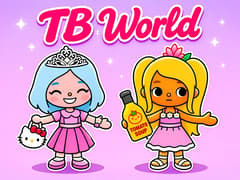
TB World is a relaxed Toca-style sandbox made by Dmitry FTD, where everything starts with a person. You fill three character slots, give each one a look, and then send them out into a small town to live whatever story you invent. There's no score, no timer and no way to lose.
Characters first, then the town
The character creator has a tab for each part: body and skin tone, hair, eyes, nose, brows, mouth, clothing and hats. Hair comes in lots of styles and colours, while outfits are complete sets, so one tap changes the whole look. With three slots you can make a family, a group of friends or a cast for a little play.
When they're ready, the isometric map opens up. Tap a house, the apartment block, the pool house or the café to go inside, drag your characters into the room and use the furniture button to rearrange things. The camera button saves a snapshot of the scene. Some buildings stay locked until you watch an ad.
How many characters can I make?
There are three slots. You can edit any of them whenever you like.
Can I take pictures of my rooms?
Yes. Press the camera button inside a room to grab a screenshot of your scene.
Like quiet, creative games? Try these next:
- Toca Boca World design homes and make up your own adventures.
- Phone Case DIY decorate phone cases in your own style.
- Pou feed, dress and care for your own pet.
- Anime Girl High School Simulator explore school life with your own character.
Controls
Controls (mouse or touch)
- Tap / Click: pick a slot, a creator tab, a clothing set or a building
- Drag: move characters and furniture around a room
- Swipe: scroll the town map and the item lists
- Furniture button: add and rearrange items in a room
- Camera button: save a screenshot of the scene
Frequently Asked Questions
No, it's a single-player game. You can still share it by taking turns or sending each other screenshots from the camera button.
No. Everything works with a mouse on desktop or with taps, drags and swipes on a phone or tablet.