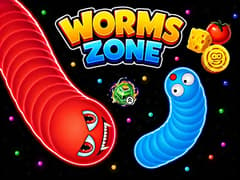
Worms Zone





Worms Zone
About This Game
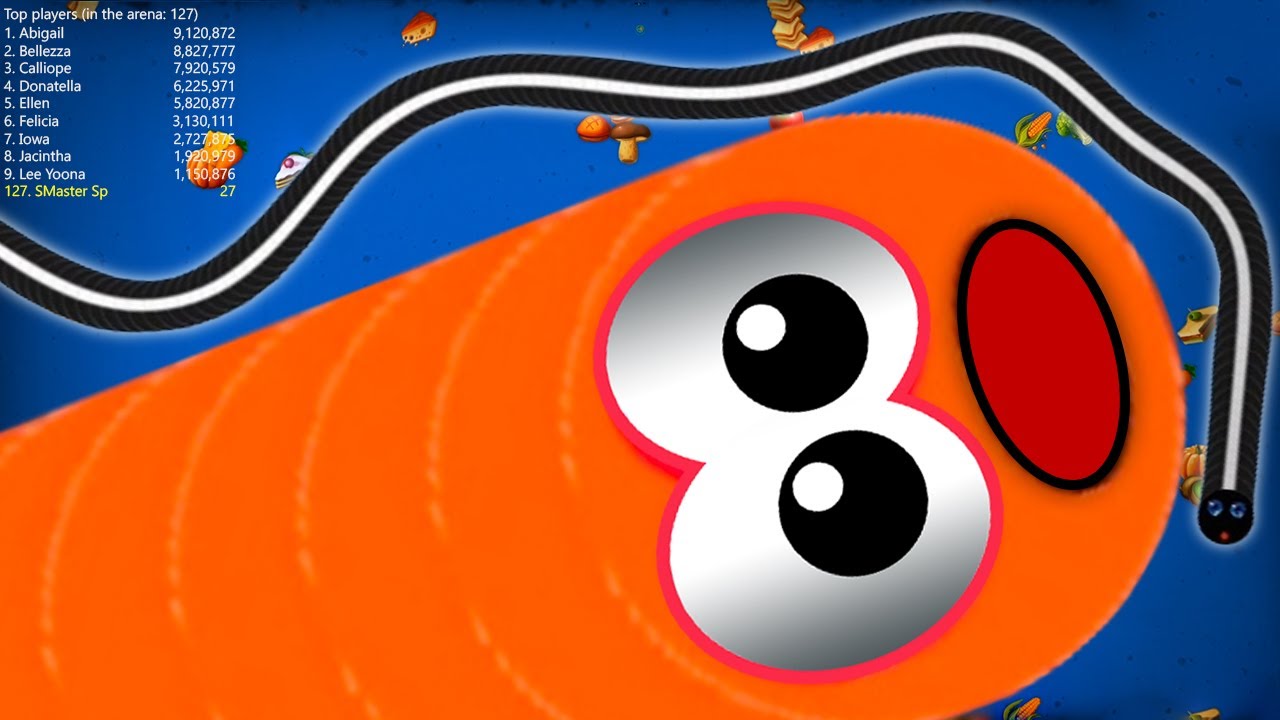
Worms Zone is a colorful and highly addictive multiplayer snake style game where survival depends on smart movement, quick reactions, and knowing when to take risks. Instead of a simple snake, you control a hungry worm in a lively arena filled with food, power-ups, and other players trying to grow bigger than you.
The gameplay feels more dynamic than classic snake games thanks to temporary bonuses like speed boosts, magnets, and size multipliers. These power-ups can quickly turn a small worm into a dangerous threat or help you escape tight situations. The longer you survive and the more you eat, the higher you climb on the leaderboard.
Worms Zone is easy to start but difficult to master. Every match is different, and even experienced players can be eliminated in seconds if they lose focus.
Core Gameplay of Worms Zone
- Movement: Simply move your mouse to guide your worm. It will automatically follow your cursor across the arena.
- Feast and Grow: Eat the glowing food and treats scattered everywhere to increase your size and score.
- Combat Rules: If your head hits the body of another worm, you will instantly die and turn into a massive pile of food. However, if you can force another worm to crash into your side, they will be eliminated, and you can steal all their hard earned food.
- Speed Boost: Press and hold the Left Mouse Button to activate a rapid speed burst. Be warned. Using the speed boost burns your accumulated mass and makes you shrink over time.
- Collect Potions: Look out for special colored bottles on the map! They give you temporary abilities like magnetic food pulling, zoomed out vision, or faster movement.
What is the best strategy to trap other players?
- The Wrap Around: If you are much larger than your opponent, completely circle around them until they run out of space and crash into you.
- The Cut Off: Use your speed boost to dart directly in front of a worm's path to force them into hitting your side.
- Loot Guarding: When a massive worm dies, coil your body tightly around their dropped food so other players cannot steal your prize.
What do all the different colored potions do?
- Green Potion: Gives you a massive speed increase without draining your own mass.
- Blue Potion: Multiplies the value of the food you eat by five times so you can grow incredibly fast.
- Purple Potion: Acts as a radar and shows you exactly where other worms have died so you can rush in and steal their food.
- Yellow Potion: Zooms your camera out to give you a bird's eye view of the map for much better spatial awareness.
- Magnet Potion: Pulls all nearby food directly into your mouth without you having to touch it.
What are the best power-ups in Worms Zone?
- Magnet: pulls nearby food automatically
- Speed boost: helps you escape or trap enemies
- Multiplier: increases growth speed significantly
- Zoom out: gives better visibility and awareness
Why did my worm suddenly start shrinking?
If you are holding down the speed boost button for too long, your worm will start losing mass. Every second you boost, you drop food behind you. You should only use your boost in short, tactical bursts to escape danger or trap an enemy!
More Top Tier IO Hits on gameVgames
If you love the strategic arena survival and territory control of Worms Zone, you absolutely need to check out these other highly popular titles available right now on our platform.
- Gulper.io Take control of a neon glowing worm and trap your opponents in a sleek, fast paced, futuristic battle arena.
- Hexanaut.io Claim tiles, trap enemies, and become the ultimate king of the map in this highly strategic territory conquest game.
- Paper.io Go back to the classic square grid and test your quick reflexes in the game that started the modern territory capture craze.
How to Play
Desktop
- Mouse: Move
- Left Click: Boost
Mobile
- Touch and drag: Move
- Hold screen: Boost
Frequently Asked Questions
Yes. You can play Worms Zone unblocked on gameVgames, even on school or restricted networks without needing downloads.
Yes. The game runs smoothly on most mobile browsers with touch controls.
If you are playing as a guest in your browser, your progress and unlocked skins are stored in your local cache. If you clear your browsing history, you might lose your custom faces and wardrobe options.
Gameplay Video