Geometry Arrow 2
Geometry Arrow 2



Geometry Arrow 2
Tentang Permainan
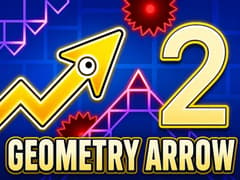
Geometry Arrow 2 adalah permainan keterampilan yang cepat dan menarik di mana Anda mengendalikan panah tajam melalui jalur sempit yang penuh dengan jebakan. Tujuan Anda adalah mencapai akhir setiap level tanpa menabrak duri, dinding, atau rintangan yang bergerak. Kontrolnya sangat sederhana, tetapi permainan ini dengan cepat menjadi menantang seiring dengan meningkatnya kecepatan dan jalur yang semakin sempit.
Permainan ini membawa sentuhan baru dengan mode Roda yang baru. Di beberapa bagian, panah Anda berubah menjadi bentuk yang menggulung, dan gerakan terasa sangat berbeda. Ini membuat setiap level menarik dan membuat Anda harus menyesuaikan waktu Anda berulang kali.
Geometry Arrow 2 diciptakan oleh faraonovvit, pengembang yang sama di balik Geometry Arrow yang asli. Jika Anda menikmati permainan pertama di gameVgames, sekuel ini menawarkan lebih banyak tantangan dan ide permainan baru.
Tips Geometry Arrow 2 Dari Pemain Asli
- Roda terasa sulit pada awalnya Cobalah ketukan yang lebih lembut daripada menahan. Ini memberi Anda kontrol yang lebih baik.
- Terjebak di tempat yang sama Fokus pada bagian itu saja dan ambil lebih lambat pada lari Anda berikutnya.
- Panik membuatnya semakin buruk Tetap tenang lebih membantu daripada bereaksi terlalu cepat.
- Melihat terlalu dekat Lihat sedikit di depan panah Anda sehingga Anda bisa bereaksi lebih awal.
- Merasa terjebak Ambil istirahat singkat dan coba lagi. Banyak pemain melewatinya tepat setelah itu.
Kenapa panah terkadang terasa terlalu sensitif?
Ketukan kecil dapat mengubah gerakan Anda lebih dari yang diharapkan. Permainan ini sangat presisi, jadi menahan terlalu lama atau menekan terlalu keras dapat mengganggu kontrol Anda. Menggunakan ketukan yang lebih ringan dan lebih pendek biasanya membantu menjaga semuanya tetap stabil.
Bagaimana cara saya melewati bagian Roda pertama?
Gerakannya terasa berbeda dari bagian panah, jadi waktu normal mungkin tidak berfungsi. Ketukan yang lebih lambat dan menghindari tekanan lama membuatnya lebih mudah untuk dikendalikan. Input yang halus dan terkontrol bekerja lebih baik daripada reaksi cepat di sini.
Apakah ada trik untuk bagian zigzag yang sempit?
Reaksi acak biasanya mengarah pada kesalahan di bagian ini. Menjaga ritme yang stabil dan membuat gerakan kecil yang terkontrol membantu Anda tetap di jalur dan menghindari menabrak duri.
Kenapa saya gagal tepat sebelum akhir?
Adalah hal yang umum untuk terburu-buru ketika Anda dekat dengan penyelesaian. Ini sering kali merusak waktu Anda. Tetap tenang dan menjaga ritme yang sama yang Anda gunakan sebelumnya memberi Anda peluang lebih baik untuk menyelesaikan level.
Lebih banyak permainan yang mungkin Anda suka di gameVgames
Permainan ini adalah bagian dari seri Geometry Vibes asli gameVgames, yang dibuat untuk pemain yang menikmati permainan refleks cepat.
- Geometry Vibes Titik awal yang hebat dengan gameplay klasik, mode yang berbeda, dan kesenangan multiplayer lokal
- Geometry Vibes X-Ball Fokus pada gerakan bola dengan tantangan baru dan kulit yang dapat dibuka
- Geometry Vibes X-Arrow Pengalaman yang lebih cepat dan lebih presisi bagi pemain yang menikmati kontrol yang ketat
- Geometry Vibes 3D Membawa gameplay yang sama ke dalam dunia 3D yang berwarna-warni dengan tampilan yang segar
- Geometry Vibes Monster Menambahkan gameplay bertahan hidup dengan monster dan mendukung hingga empat pemain secara lokal
Bagaimana Cara Bermain
PC
- Klik Kiri Mouse / Spasi = Bergerak ke atas
- Lepaskan = Bergerak ke bawah
Mobile
- Ketuk dan tahan = Bergerak ke atas
- Lepaskan = Bergerak ke bawah
Pertanyaan yang Sering Diajukan
Ya. Anda dapat bermain Geometry Arrow 2 yang tidak terblokir di gameVgames langsung di browser Anda.
Ya. Permainan ini berjalan lancar di mobile dengan kontrol ketukan yang sederhana.
Video Pengenalan Game