Geometry Arrow 2
Geometry Arrow 2



Geometry Arrow 2
About This Game
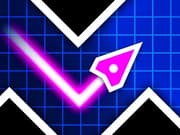
Geometry Arrow 2 is a fast and exciting skill game where you control a sharp arrow through tight paths full of traps. Your goal is to reach the end of each level without crashing into spikes, walls, or moving obstacles. The controls are very simple, but the game quickly becomes challenging as the speed increases and the paths get narrower.
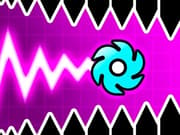
The game brings a fresh twist with its new Wheel mode. In some parts, your arrow changes into a rolling shape, and movement feels completely different. This keeps every level interesting and makes you adjust your timing again and again.
Geometry Arrow 2 was created by faraonovvit, the same developer behind the original Geometry Arrow. If you enjoyed the first game on gameVgames, this sequel offers more challenge and new gameplay ideas.
Geometry Arrow 2 Tips From Real Players
- Wheel feels hard at first Try softer taps instead of holding. It gives you better control.
- Stuck at the same spot Focus on that part only and take it slower on your next run.
- Panicking makes it worse Staying calm helps more than reacting too fast.
- Looking too close Watch a bit ahead of your arrow so you can react earlier.
- Feeling stuck Take a short break and try again. Many players pass it right after.
Why does the arrow feel too sensitive sometimes?
Small taps can change your movement more than expected. The game is very precise, so holding too long or pressing too hard can throw off your control. Using lighter and shorter taps usually helps keep things steady.
How do I get past the first Wheel section?
The movement feels different from the arrow part, so normal timing may not work. Slower taps and avoiding long presses make it easier to control. Smooth and controlled inputs work better than fast reactions here.
Is there a trick to tight zigzag parts?
Random reactions usually lead to mistakes in these sections. Keeping a steady rhythm and making small, controlled movements helps you stay on track and avoid hitting spikes.
Why do I fail right before the end?
It is common to rush when you are close to finishing. This often breaks your timing. Staying calm and keeping the same rhythm you used earlier gives you a better chance to finish the level.
More games you may like on gameVgames
These games are part of the gameVgames original Geometry Vibes series, created for players who enjoy fast reflex gameplay.
- Geometry Vibes A great starting point with classic gameplay, different modes, and local multiplayer fun
- Geometry Vibes X-Ball Focuses on ball movement with new challenges and unlockable skins
- Geometry Vibes X-Arrow A faster and more precise experience for players who enjoy tight control
- Geometry Vibes 3D Brings the same gameplay into a colorful 3D world with a fresh look
- Geometry Vibes Monster Adds survival gameplay with monsters and supports up to four players locally
How to Play
PC
- Left Mouse Click / Space = Move up
- Release = Move down
Mobile
- Tap and hold = Move up
- Release = Move down
Frequently Asked Questions
Yes. You can play Geometry Arrow 2 unblocked on gameVgames directly in your browser.
Yes. It runs smoothly on mobile with simple tap controls.
Gameplay Video